JD has been around for ages and is the go to download app for bascially anything in the world wide web.
Having said this, i never really thought of downloading straight to my NAS Instance, instead i’ve used the typicall way of a local download then push to NAS. Lazy, and not particularly efficient either!
Now it’s time to change old habits and set up JDownloader (Docker) in combination with my.jdownloader.org
Settings this up via TrueNas Apps is fairly straight forward.
1.) Create a MyJD account online
my.jdownloader.org is the official web-based remote-control interface for JDownloader. It lets you log in to your JDownloader installation from a browser, phone app or browser extension to manage and add downloads remotely — e.g., start/stop downloads, add links, solve captchas, and monitor progress — as long as your JDownloader is connected and running.
The credentials are required for the App configuration. Provide Device Name, User + Pass
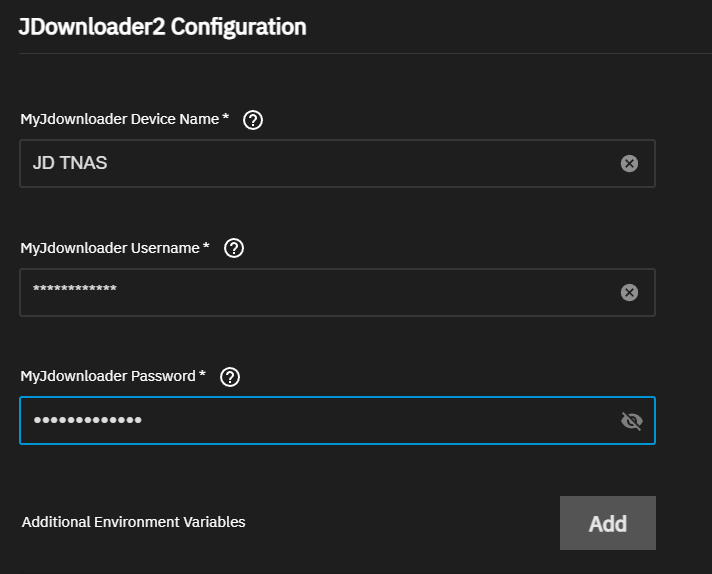
Note: If you want to set Additional Environment Variables, check their github repo to find all options jlesage/docker-jdownloader-2: Docker container for JDownloader 2
2.) Create Datasets and add Additional Storage
JDownloader requires separate storage configurations: one for its own settings and another for the download location. The best practice is to create distinct datasets for each. If you plan to use an external SMB or NFS mount for your downloaded files, simply use the ixVolume configuration.
truenas[/]$ sudo docker exec -it 59bcb78270ea df -h | grep -i down

//10.16.17.5/Download # SMB Share
                         13.1T      6.3T      6.8T  48% /mnt/download # Container Mount Nas Share

WD16TB/JDownloader   # Dataset Download
                         6.8T    128.0K      6.8T   0% /opt/JDownloader/Downloads # Container default download

ssd-pool/jdownloader2 # Dataset Config
761.0G 128.0K 761.0G 0% /opt/JDownloader/app/cfg3.) Network Configuration
There is no for configuration if you are planning to use myJD only, as the published port is for direct connections only.
Check if your container is able to communicate with my.jdownloader.org
truenas[/]$ sudo docker ps | grep jdownloader
59bcb78270ea   ghcr.io/jaymoulin/jdownloader:2.1.2  "/opt/JDownloader/da…"   8 minutes ago   Up 8 minutes (healthy)   3129/tcp                                                                                       ix-jdownloader2-jdownloader2-1

truenas[/]$ sudo docker exec -it 59bcb78270ea ping my.jdownloader.org

PING my.jdownloader.org (136.243.166.109): 56 data bytes
64 bytes from 136.243.166.109: seq=0 ttl=42 time=17.541 ms
--- my.jdownloader.org ping statistics ---
2 packets transmitted, 2 packets received, 0% packet loss4.) Check on myJD online and install the browser plugin
Now it’s ready for Remote Configuration at my.jdownloader.org and will be listed with its given Device Name
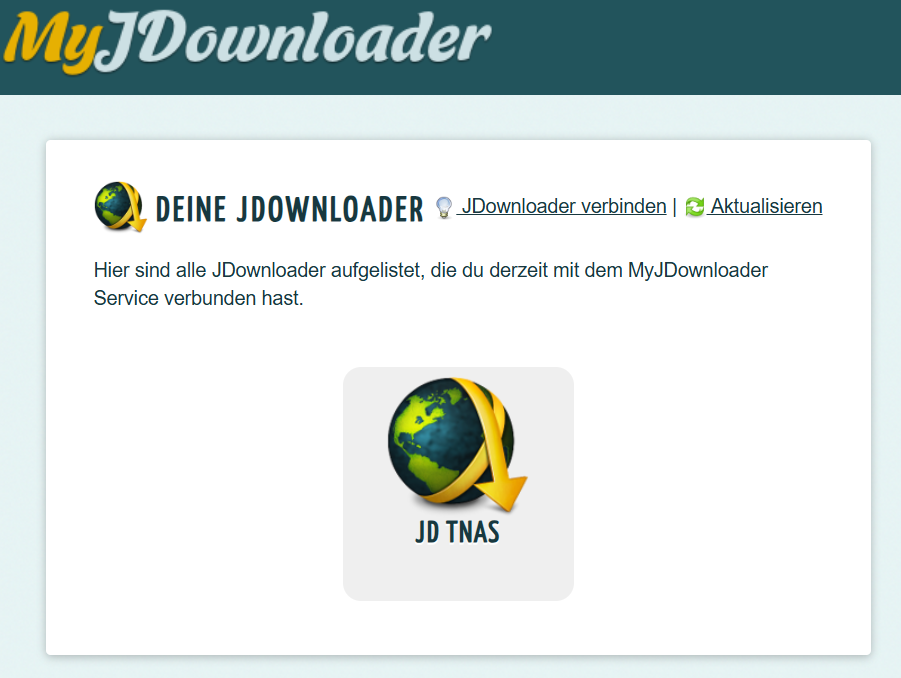
Now change your desired Download Folder in case you do not plan to use the default one
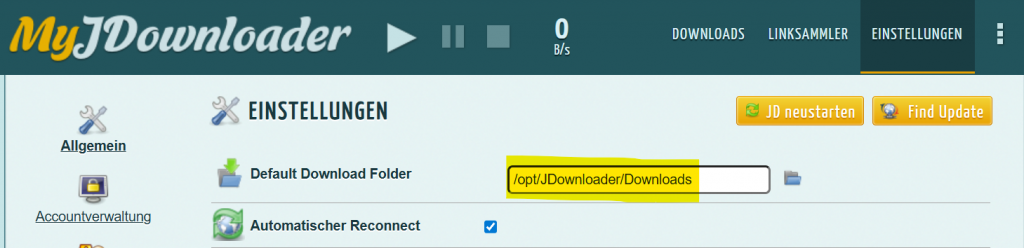
5.) Install the APP or Browser Plugin
Install & Configure your preffered method of choice. See MyJDownloader – Apps and Browser Extensions
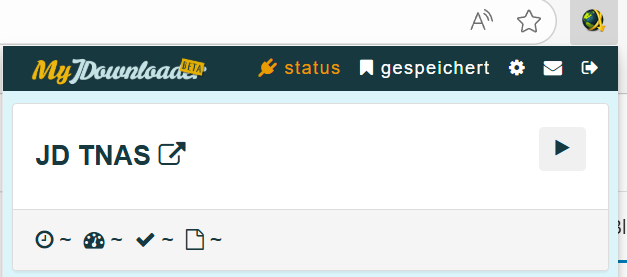
I’ve installed the browser plugin and can send any links i want straight to my TrueNas Instance.
Righ Click on the JD Icon and select “Download with JDownloader”. A popup will appear and you are good to download or save the link for later. More information on their website.
