While the current App catalogue has a lot to offer but you may end up with a deprecated project ( think booklore ) or an app wich has been requested but not yet implemented ( eg. readeck )
Note: You can raise a new [APP Requests] yourself on the official TrueNas github
Quick Guide
1.) Create the corrsesponding Dataset(s)
2.) Create the docker compose file within the dataset
---
volumes:
  readeck:

services:
  app:
    image: codeberg.org/readeck/readeck:latest
    container_name: readeck
    ports:
      - 8000:8000
    environment:
      # Defines the application log level. Can be error, warn, info, debug.
      READECK_LOG_LEVEL: info
      # The IP address on which Readeck listens.
      READECK_SERVER_HOST: "0.0.0.0"
      # The TCP port on which Readeck listens. Update container port above to match (right of colon).
      READECK_SERVER_PORT: 8000
      # Easier to read log format
      READECK_LOG_FORMAT: text
      # Optional, the URL prefix of Readeck.
      # READECK_SERVER_PREFIX: "/"
    volumes:
      - readeck:/readeck
    restart: unless-stopped
    healthcheck:
      test: ["CMD", "/bin/readeck", "healthcheck", "-config", "config.toml"]
      interval: 30s
      timeout: 2s
retries: 33.) UI -> Apps -> Discover -> Custom Apps -> Install via YAML
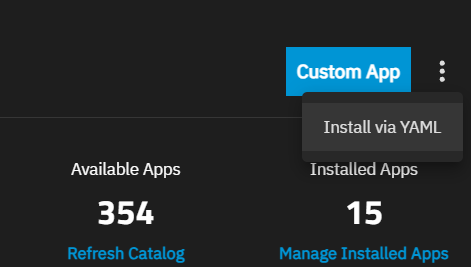
4.) Deploy: Use include and point to your docker compose file + add the WebUI setting if known
include:
  - /mnt/ssd-pool/readeck/compose.yaml
services: {}

#### optional WebUI ####

x-portals:
  - host: 0.0.0.0
    name: Web UI
    path: /
    port: 8000
scheme: httpThe custom app will be installed as per docker compose config but usually wont have loads of information to showcase within TrueNas
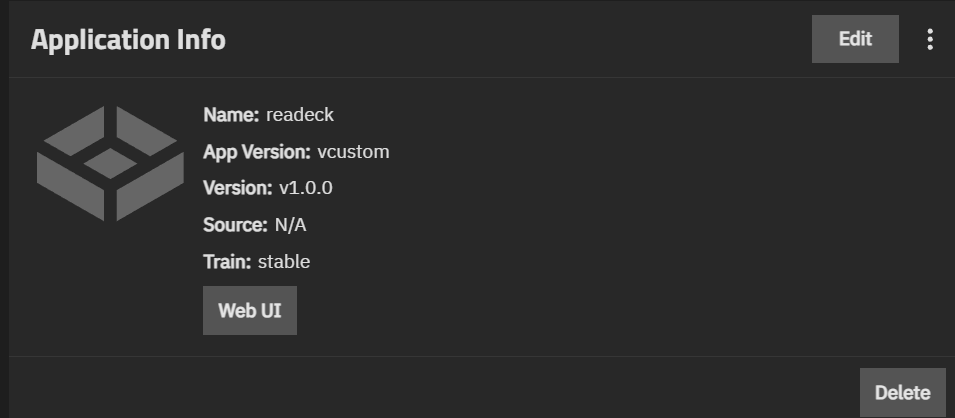
5.) Update the metadata information
readeck:
  custom_app: true
  human_version: 0.22.2_custom
  metadata:
    app_version: 0.22.2
    capabilities: []
    description: Readeck is a simple web application that lets you save the precious
      readable content of web pages you like and want to keep forever.
    home: https://readeck.org/
    host_mounts: []
    icon: https://cdn.jsdelivr.net/gh/selfhst/icons@main/svg/readeck.svg
    maintainers:
    - email: readeck@noreply.codeberg.org
      name: readeck
      url: https://codeberg.org/readeck
    name: readeck
    run_as_context: []
    sources:
    - https://codeberg.org/readeck/readeck
    title: Readeck
    train: stable
    version: 0.22.2
  migrated: false
  notes: '# Some Notes'
  portals:
    Web UI: http://0.0.0.0:8000/
version: 1.0.0So now we’ve added a WebUI Buttons via “portals” and icon via “icon” description in the YAML file
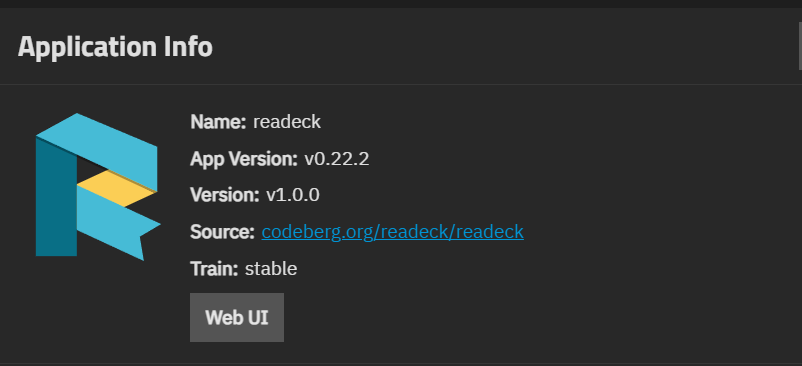
A few good resources:
ICON’s: Self-Hosted Dashboard Icons
Community Guide’s: https://www.truenas.com/docs/scale/25.10/scaleuireference/apps/installcustomappscreens/
Installing Custom Apps | TrueNAS Apps Market